Stage 1 — The Prototype
The Idea
A 433 MHz transmitter installed in the car is paired with a GPS antenna. Once the car gets within a configurable distance of the garage door, the transmitter fires the open signal automatically. On startup, the device also checks whether the car was previously parked inside — if so, it sends the signal again so the car can leave.
The prototype has one goal: decode the existing remote’s signal so it can be replayed digitally.
Components
| Part | Link |
|---|---|
| WeMos D1 Mini (ESP8266) | IZOKEE D1 Mini NodeMcu |
| 433 MHz TX/RX Module | Aukru Sende und Empfänger |
| StepUp Converter (field test) | Adafruit PowerBoost 1000 |
| 1S LiPo (field test) | ~1500 mAh |
The D1 Mini is an Arduino-compatible WiFi board with an onboard USB-to-Serial converter. A good getting-started guide for VS Code: Programming ESP microcontrollers with Visual Studio Code.
The Circuit
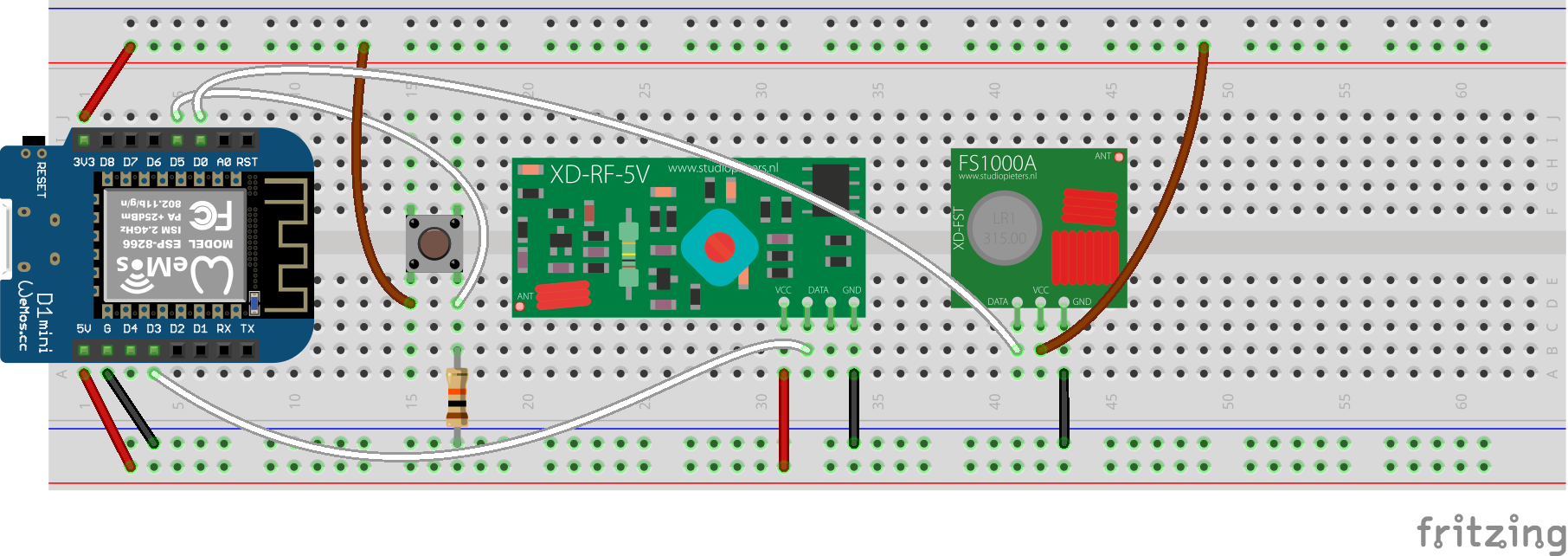
The wiring is straightforward. Data I/O and the button are connected to GPIOs D0, D3, and D5.
- D4 is internally connected to the on-board LED (active LOW)
- The push-button is pulled down via a 10 kΩ resistor to GND and drives D5 HIGH when pressed
The Software
The standard rc-switch library makes signal decoding simple — but the CAME TOP-432EV remote used here uses a proprietary protocol not supported by the mainline library. The fix is a community fork: Attila-FIN/rc-switch.
#include <RCSwitch.h>

const int buttonPin = D5;
const int ledPin    = D4;
const int rcSwitchRcvPin = D3;
const int rcSwitchTxPin  = D0;

int buttonState = 0;
RCSwitch mySwitch = RCSwitch();

void setup() {
  Serial.begin(9600);

  mySwitch.enableReceive(rcSwitchRcvPin);
  mySwitch.enableTransmit(rcSwitchTxPin);
  mySwitch.setProtocol(12);
  mySwitch.setRepeatTransmit(15);

  pinMode(buttonPin, INPUT);
  pinMode(ledPin, OUTPUT);
  digitalWrite(ledPin, buttonState);
}

void loop() {
  buttonState = digitalRead(buttonPin);

  if (buttonState == HIGH) {
    mySwitch.send(1234, 12); // replace with the real code + bit length
    digitalWrite(ledPin, LOW);
    delay(500);
  } else {
    digitalWrite(ledPin, HIGH);
  }

  if (mySwitch.available()) {
    Serial.print("Received ");
    Serial.print(mySwitch.getReceivedValue());
    Serial.print(" / ");
    Serial.print(mySwitch.getReceivedBitlength());
    Serial.print("bit  Protocol: ");
    Serial.println(mySwitch.getReceivedProtocol());
    mySwitch.resetAvailable();
  }
}
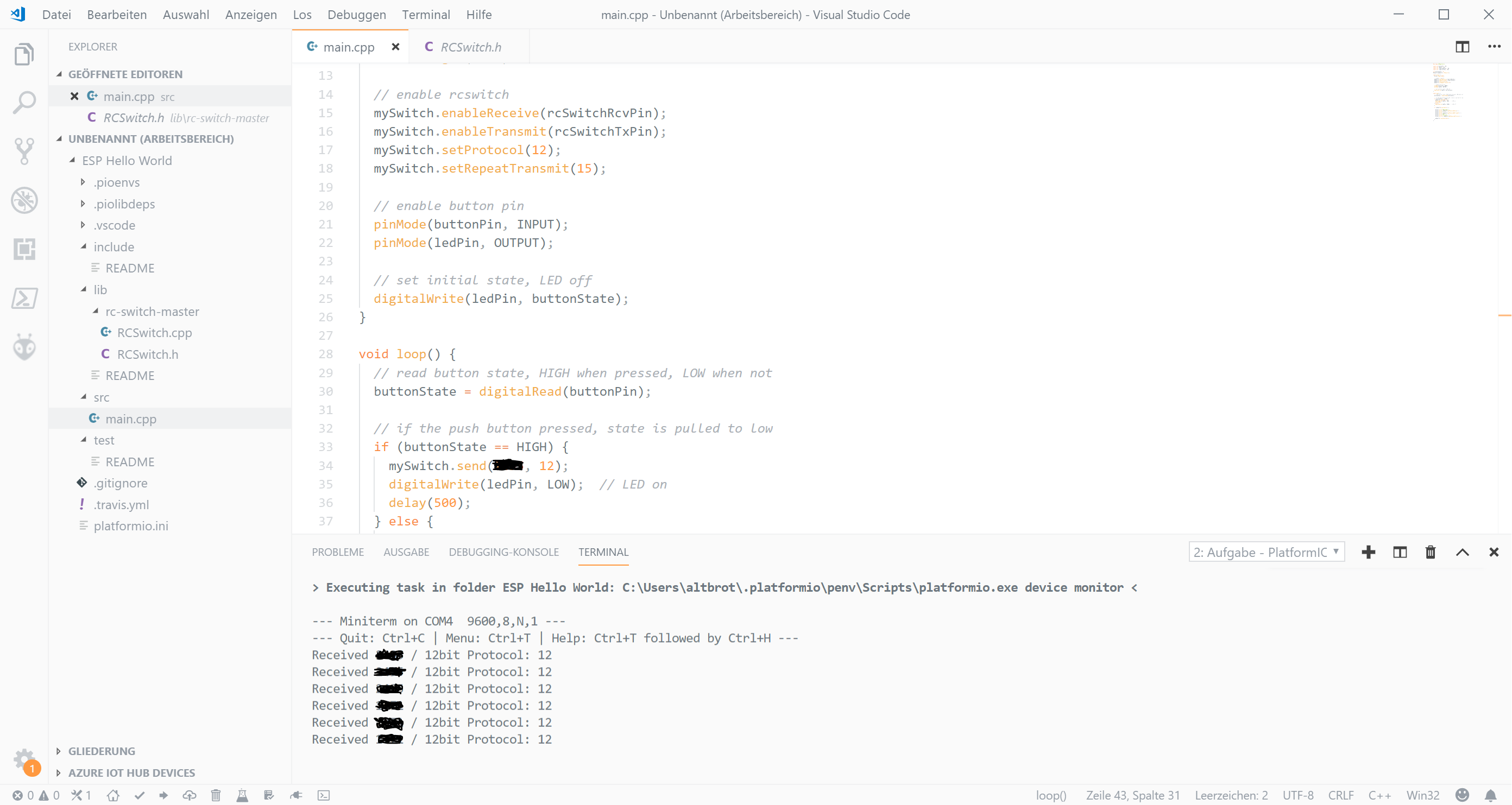
After flashing, the serial monitor prints the button code, bit length, and protocol for any received signal — enough to clone the remote.
Field Test
For the outdoor test, power is switched from USB to a 1S LiPo. The Adafruit PowerBoost 1000 handles the 3.7 V → 5 V step-up.
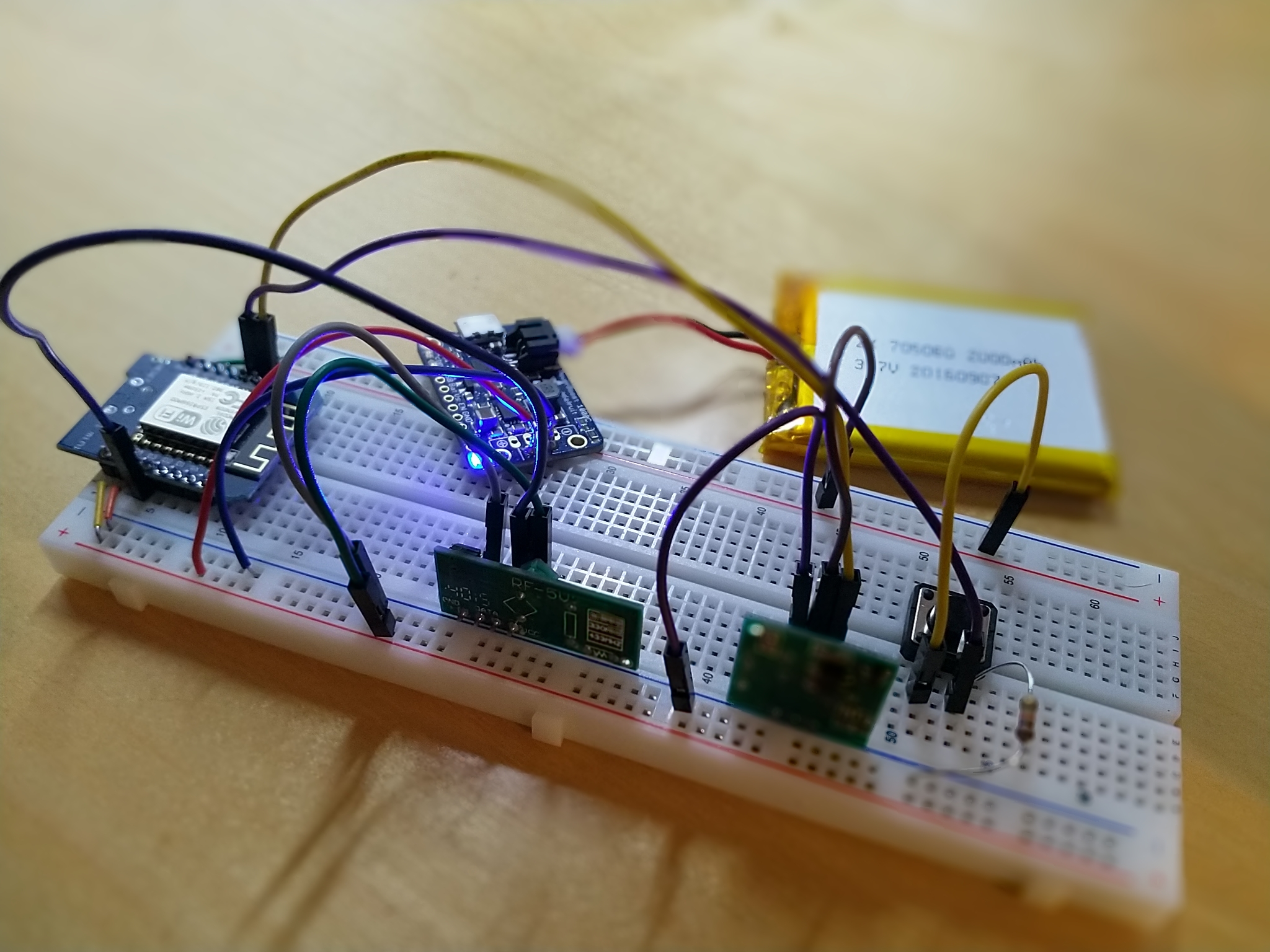
With the signal decoded and replay confirmed, the prototype is a success. Time to build the real thing.